Non classé

Matt: Tumblr Unblocked

For a brief period, Tumblr was unavailable to the 115M+ people in the Philippines because the government had blocked it. To their credit, the Philippines CICC quickly reviewed and corrected their block after mass public outrage from the Filipino Tumblr community. Let the people tumble!

Matt: Tumblr Unblocked Lire la suite »

Matt: Popping Bottles

With the rise of GLP-1 drugs, there’s a trend that magnums are being ordered at clubs to meet minimums but left unfinished. I think there’s a space for an ultra-high-end wellness drink at clubs. Imagine Erewhon meets Magic Mind meets Kin,  maybe with some effervescence. An elixir that comes out with sparklers but makes you feel great with nootropics not hungover. Priced at hundreds of dollars retail so thousands at a club. It could even be a cold chain, with the freshest ingredients that need to be preserved. Let’s do some turmeric-ginger-cayenne shots and get crunk.

Matt: Popping Bottles Lire la suite »

WordPress.org blog: WordPress 7.0 Beta 5

WordPress 7.0 Beta 5 is ready for download and testing! This version of the WordPress software is still under development. Please do not install, run, or test this version of WordPress on production or mission-critical websites. Instead, it’s recommended to test Beta 5 on a test server and site.WordPress 7.0 Beta 5 can be tested using any of the following methods: Plugin Install and activate the WordPress Beta Tester plugin on a WordPress install. (Select the “Bleeding edge” channel and “Beta/RC Only” stream.) Direct Download Download the Beta 5 version (zip) and install it on a WordPress website. Command Line Use this WP-CLI command:wp core update –version=7.0-beta5 WordPress Playground Use the WordPress Playground instance to test the software directly in your browser.  No setup is required – just click and go!  The scheduled final release date for WordPress 7.0 is still April 9, 2026. The full release schedule can be found here. Your help testing Beta and RC versions is vital to making this release as stable and powerful as possible. Thank you to everyone who helps with testing! Please continue checking the Make WordPress Core blog for 7.0-related posts in the coming weeks for more information. What’s new in WordPress 7.0? Check out the Beta 1, Beta 2, Beta 3 and Beta 4 announcements for details and highlights. How to test this release Your help testing the WordPress 7.0 Beta 5 version is key to ensuring everything in the release is the best it can be. While testing the upgrade process is essential, trying out new features is equally important. This detailed guide will walk you through testing features in WordPress 7.0. If you encounter an issue, please report it to the Alpha/Beta area of the support forums or directly to WordPress Trac if you are comfortable writing a reproducible bug report. You can also check your issue against a list of known bugs.Curious about testing releases in general? Follow along with the testing initiatives in Make Core and join the #core-test channel on Making WordPress Slack. Beta 5 updates and highlights WordPress 7.0 Beta 5 contains more than 101 updates and fixes since the Beta 3 release. Each beta cycle focuses on bug fixes, and more are on the way with your help through testing. You can browse the technical details for all issues addressed since Beta 3 using these links: GitHub commits since March 5, 2026 Closed Trac tickets since March 5, 2026 Issues addressed since Beta 4: GitHub commits since March 10, 2026 Closed Trac tickets since March 10, 2026 WordPress 7.0 Beta 5 contains a new feature! Instantly access all the tools you need with a single click using the new Command Palette shortcut in the Omnibar! In 7.0 Beta 5, logged-in editors will see a field with a ⌘K or Ctrl+K symbol in the upper admin bar that unfurls the command palette when clicked. The new command palette entry point streamlines navigation and customization, giving you full control from anywhere on your site – whether you’re editing, designing or just browsing plugins. A Beta 5 haiku A smooth melody Beta 5 plays on its strings. Seven brings good things. Props to @amykamala, @annezazu and @4thhubbard for proofreading and review.

WordPress.org blog: WordPress 7.0 Beta 5 Lire la suite »

Open Channels FM: The Evolution of Hosting Security Standards and the Impact on Emerging Technologies

In today’s episode it’s time to take a look into the world of ethical hosting and the ever-evolving challenges of internet infrastructure. Joining co-hosts Dave Lockie and Robert Jacobi is David Snead, director of the Secure Hosting Alliance (SHA) and a longstanding advocate for better standards in web hosting. In this conversation, they explores what […]

Open Channels FM: The Evolution of Hosting Security Standards and the Impact on Emerging Technologies Lire la suite »

Matt: WordPress Everywhere

As we announced and TechCrunch covered, my.wordpress.net has soft-launched. What this means is you need to fundamentally shift how you think about WordPress. From the beginning, WordPress has always been open source, giving you freedom, liberty, autonomy, and digital sovereignty. Open source is the most powerful idea of our generation. For the past few decades, WordPress was software you got from a cloud provider or web host, such as WordPress.com, Bluehost, Hostinger, or Pressable (the currently recommended WordPress hosts). You could self-host it on a Raspberry Pi or home server, but few people did. The experience of downloading WordPress, as my Mom did, is that it unzips a bunch of PHP and various code files onto your desktop. Very confusing! But now, thanks to incredible advances in WebAssembly (WASM), we can spin up a web server, a database (SQLite or MariaDB), and a full WordPress installation inside your browser in about 30 seconds. Instantly. No server needed. I introduced Playground at State of the Word in 2022. You can even use it to cross-publish apps to the web, desktop, and iOS, like Blocknotes did in 2023. You can get the latest Blocknotes at Blocknotes.org. One codebase, multiple platforms. These WordPress Playground containers are fully composable and atomic. You can track and roll back any change. Undo for everything. Stop thinking of WordPress as just on a web host and worrying about maintenance and management, and more as a self-contained unit of open source goodness, a fun little package where you own and control the code and data and can run it however you like. How perfect is that for AI to work with? Playground makes WordPress local, fast, and trivial to spin up multiple instances, test code changes, and save them. Next up, we’re going to add peer-to-peer sync, version control integration, and cloud publishing so other people can access it. I believe this will take us from millions of WordPresses in the world to billions. Hosting isn’t going away; in fact, I think demand for cloud syncing will increase drastically as we radically open up what people can build on top of WordPress. In an AI age where it’s trivial to spin up software from scratch, consumers will have to give much more thought to brands they trust to be in it for the long term. We’ve been relentlessly iterating on WordPress since 2003. I plan to work on it the rest of my life, and there’s a broad community of hundreds of thousands, if not millions, of people who make their living on top of WordPress. On WordPress.com we offer 100-year plans and 100-year domains, and I believe we’re one of the few companies where that’s credible. It’s led by Zander Rose, who ran the Long Now Foundation (one of my favorite non-profits) from 1997 to 2023, a quarter century. In core WordPress, we are obsessed with backwards compatibility. You can run plugins and themes written 20 years ago on today’s WordPress. I’ve stumbled on decade-old installs, and the built-in auto-upgrade took everything to the newest version. At Automattic, for better and worse, unlike Google, we almost never shut things down. We obsess about maintaining or redirecting permalinks. We make it easy not just to get your data in, but take it out too. We build businesses that lower churn not by locking you in (Wix famously has no export) but by making it easy for you to leave. If you love somebody, set them free. In the next few years, there will be a Cambrian explosion of software and services. You’re going to have a lot of choices about where to put your most precious data and software. You should demand open source and bet on those who are clearly in it for the long-term. Today, everyone gets a phone number and email when they grow up. That will expand in the future, everyone will have a domain and a WordPress. A part of the internet that you own. Technology is best when it brings people together. Technology is best when it puts you in control, gives you ownership, digital autonomy, freedom, and liberty. That’s open source. It’s so exciting to see how AI is supercharging open source. Join the WordPress community. It’s fun! We have cookies that don’t track you.

Matt: WordPress Everywhere Lire la suite »

WordPress.org blog: WordPress 6.9.4 Release

WordPress 6.9.4 is now available! WordPress 6.9.2 and WordPress 6.9.3 were released yesterday, addressing 10 security issues and a bug that affected template file loading on a limited number of sites. The WordPress Security Team has discovered that not all of the security fixes were fully applied, therefore 6.9.4 has been released containing the necessary additional fixes. Because this is a security release, it is recommended that you update your sites immediately. You can download WordPress 6.9.4 from WordPress.org, or visit your WordPress Dashboard, click “Updates”, and then click “Update Now”. If you have sites that support automatic background updates, the update process will begin automatically. For more information on WordPress 6.9.4, please visit the version page on the HelpHub site. Security updates included in this release The security team would like to thank the contributors who reported and investigated this issue, in particular Thomas Kräftner for his responsible disclosure. The security issues that are resolved in 6.9.4 are: A PclZip path traversal issue reported independently by Francesco Carlucci and kaminuma An authorization bypass on the Notes feature reported by kaminuma An XXE in the external getID3 library reported by Youssef Achtatal

WordPress.org blog: WordPress 6.9.4 Release Lire la suite »

#208 – Behind the Scenes at the CloudFest Hackathon

Transcript [00:00:00] Nathan Wrigley: Welcome to the Jukebox Podcast from WP Tavern. My name is Nathan Wrigley. Jukebox is a podcast which is dedicated to all things WordPress, the people, the events, the plugins, the blocks, the themes, and in this case a firsthand look at the CloudFest Hackathon. If you’d like to subscribe to the podcast, you can do that by searching for WP Tavern in your podcast player of choice, or by going to wptavern.com/feed/podcast, and you can copy that URL into most podcast players. If you have a topic that you’d like us to feature on the podcast, I’m keen to hear from you and hopefully get you or your idea featured on the show. Head to wptavern.com/contact/jukebox, and use the form there. So on the podcast today, we have something different. Usually it’s me, Nathan Wrigley, chatting with a guest about something related to WordPress, whether that’s a plugin, Core updates, or perhaps an aspect of the WordPress community. This time around, it’s me, and later on, a bunch of guests talking about an event. The event in question has already taken place, but the next iteration of it is just around the corner. And if you read the title of this episode, you’ll already know that I’m talking about CloudFest. CloudFest is an unusual event. The most obvious indicator of this fact is that it takes place in Europa Park in Rust, Germany. It’s one of the world’s premier theme parks. CloudFest is at its heart, a tech conference, but every year, just before the main CloudFest conference begins, a very different event takes place. It’s called the CloudFest Hackathon. So whilst the rollercoasters are testing the laws of physics outside, inside a group of developers, UX designers and system architects are testing the limits of the modern internet. Dozens of the world’s most talented engineers strip away the corporate sales pitches and set themselves a variety of collaborative challenges to be completed in just three days. Now we see hackathons all the time. Usually they’re sponsored by a single company trying to get people to use their specific API, or their high pressure competitions, to build a disruptive startup in 48 hours. But the CloudFest Hackathon isn’t like this. It’s professional, it’s non-commercial, and its primary intention isn’t necessarily to build a product, it’s to maintain the ecosystem. So let’s hear from somebody who knows all about the CloudFest Hackathon, and that person, is Carole Olinger. [00:03:04] Carole Olinger: My name is Carole, and I am the head of CloudFest Hackathon. I’m very excited about my role here and to be able to connect so many awesome people and talent around the world. So I think there are multiple definitions for a hackathon. In this case I would probably define it as a gathering of open source enthusiasts who are going to be working and coding and designing a lot of exciting projects together. They haven’t met before in many cases, and they are put in the same room for three days being fed, being caffeinated and trying to improve the open web. [00:03:42] Nathan Wrigley: Who’s on the organizing team? [00:03:44] Carole Olinger: So basically, I am leading the whole operation in my role for CloudFest and the World Hosting Days. And I have the most amazing supporting team around me that anyone could ever imagine. So it is Lucas Ratke from Automattic, Alain Schlesser from Yoast, and Thierry Muller from Google, who are on the project support team, and making sure that we have all these really valuable projects in our event. And that project leads are prepared in the best possible way. And for the first time we also have a volunteer that is helping during the event. And is specifically helping me wrangling the 110 amazing sheep around me, and to make sure that there are accommodations are covered. That all the catering is being done. And that is a Simon Kraft from Group One. [00:04:36] Nathan Wrigley: I show up to an event like this, all the jigsaw pieces are in place you think, oh, it just happens, but of course it doesn’t just happen. How long have you spent working on this event? How long have you been wrangling this whole thing into existence? [00:04:49] Carole Olinger: Usually we start in September. And then it’s more okay, what are our objectives? What are our goals for this edition? We are really trying to take as much feedback as possible from previous year’s attendees, to make sure that we have improvements in place and new additions to the event for the following edition. So that happens in September. Creating the team, making sure that we have specific objectives and goals and those are manageable. And then the actual work starts in October, and then becoming more and more intense over the upcoming months. And I would say January is probably the most crazy month. I barely slept. [00:05:31] Nathan Wrigley: So the idea really is that you put. In this case, 10 projects in a room. You’ve got 10 project leads and, in some cases there’s multiple people leading a project. And then you add into that mix over a hundred people, many of whom appear to be developers, and you stir that pot up a bit, and hope that things come out the end that are useful, that have been enjoyable to work on. How do you decide what the 10, in this case, projects were? And are you oversubscribed with people wishing to be a part of it? And so how do you decide what makes it? How do you decide which projects are interesting to CloudFest Hackathon each year? [00:06:10] Carole Olinger: So this has been evolving over the years. So I remember additions, three or four years ago, or previous to the pandemic. Where our project team was pulling projects out of the different CMS communities, open source project communities. So we had ideas

#208 – Behind the Scenes at the CloudFest Hackathon Lire la suite »

WordPress.org blog: Your Browser Becomes Your WordPress

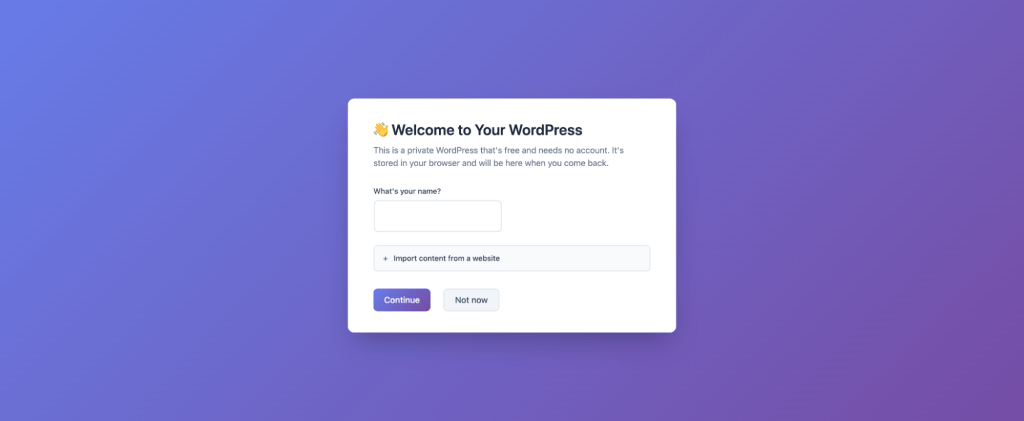
For nearly two decades, WordPress has been known for a simple, powerful idea: that anyone should be able to get online and start creating with minimal friction. The famous five-minute install captured that spirit for an earlier era of the web. Today, we’re introducing my.WordPress.net, a new take on that idea designed for a new generation of creators. With my.WordPress.net, WordPress runs entirely and persistently in your browser. There’s no sign-up, no hosting plan, and no domain decision standing between you and getting started. Built on WordPress Playground, my.WordPress.net takes the same technology that powers instant WordPress demos and turns it into something permanent and personal. This isn’t a temporary environment meant to be discarded. It’s a WordPress that stays with you. New Ways to WordPress When you open my.WordPress.net, you’re placed directly into a complete WordPress environment that runs entirely in your browser. What makes this approach meaningful is not just where WordPress runs, but how it changes the relationship between people and the software itself. By removing the need to sign up or make early decisions about hosting and visibility, my.WordPress.net reframes WordPress as a space you can enter and work within, rather than a service you have to configure before you begin. “This takes WordPress from being framed as something that is democratizing publishing to democratizing digital sovereignty.” – Alex Kirk Seen through that lens, my.WordPress.net is not just about convenience. As you don’t need to choose a hosting provider, your WordPress belongs entirely to you. In a publishing environment, you’d briefly interact with WordPress as you prepare your next post. In a personal setting, it becomes a place you shape and return to. That change unlocks new ways of thinking about what WordPress can be. Permanently and Privately Yours Because sites on my.WordPress.net are private by default and not accessible from the public internet, they don’t behave like traditional websites. They aren’t optimized for traffic, discovery, or presentation, and they don’t need to be. Instead, WordPress becomes a personal environment where ideas can exist before they are ready to be shared, or where they may never be shared at all. This changes how WordPress can be used day to day. It becomes a place to think, to draft, to organize, and to experiment without pressure, whether that means writing privately, collecting research, or building small tools for personal use. Learning also fits naturally into this model, since people can explore plugins, themes, and features inside a real WordPress environment where mistakes are expected and recoverable. This turns WordPress into a personal workspace. It becomes a place for thinking, learning, prototyping, and tinkering, where exploration matters more than outcomes. In that role, WordPress shifts from being something you prepare for others to visit into something you actively work inside, adapting to how you want to create and learn over time. Sparking Creativity with Apps To make these ideas concrete, my.WordPress.net includes an App Catalog with pre-configured experiences designed specifically for personal use, built with WordPress plugins. These examples highlight how WordPress can function when it’s private, persistent, and easy to experiment with. Each app installs with a single click and configures itself automatically. Personal CRM A private relationship manager designed to help you stay in touch with people who matter to you. Contacts can be grouped, enriched with personal details, and paired with reminders to reconnect. In the demo, this extends to analyzing communication patterns using imported chat data, all stored locally inside WordPress. Personal RSS Reader Using the Friends plugin, WordPress becomes a quiet, personal feed reader. Instead of relying on external platforms, you can follow sites and creators inside your own WordPress and read at your own pace, free from algorithms or engagement pressure. AI Workspace and Knowledge Base Because my.WordPress.net is powered by WordPress Playground, an AI assistant can safely modify it, empowering you to customize beyond what you’re used to. Ask it to modify a plugin to your liking, or create an entirely new one, featuring your desired block. Ask it about the data you have stored in your WordPress. The assistant remembers what it touches and makes it easy to share your changes with others. Over time, WordPress itself can become your personal knowledge base that the AI understands and works with. Zero Barriers my.WordPress.net lowers the barrier to getting started with WordPress to almost nothing. It offers a fast, commitment-free way to explore, learn, and build, whether the result is a long-term personal project or something that eventually moves elsewhere. In that sense, it updates the spirit of the five-minute install for a browser-first web. What you should know Storage starts at roughly 100 MB The first launch takes a little longer while WordPress downloads and initializes All data stays in your browser and is not uploaded anywhere Each device has its own separate installation Backups should be downloaded regularly Create and explore WordPress has always grown through experimentation. People trying things, breaking things, and discovering new ways to use the platform have shaped what WordPress is today. my.WordPress.net continues that tradition by making experimentation easier and more personal. It’s an invitation to create without pressure, to explore ideas that may never be published, and to use WordPress in ways that fit your life. Start exploring at my.WordPress.net my.WordPress.net is built on WordPress Playground technology. Learn more at WordPress.org/playground or join the conversation in the #meta-playground channel on WordPress Slack.

WordPress.org blog: Your Browser Becomes Your WordPress Lire la suite »

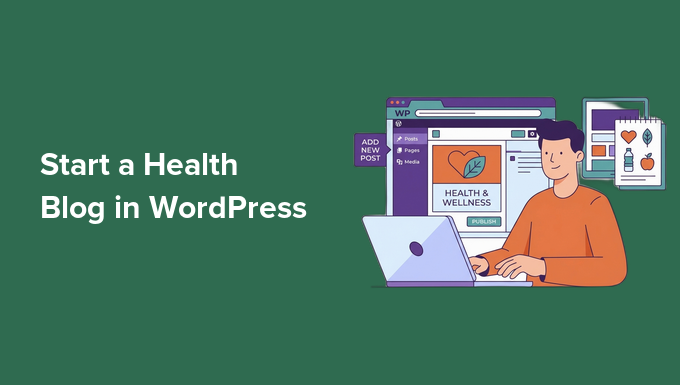
From Idea to Launch: How to Start a Health Blog in WordPress

You don’t need a medical degree or a nutrition qualification to start a health blog that actually helps people. Many people are looking for simple, relatable advice and shared experiences instead of complex medical reports. If you care about wellness and enjoy sharing what you learn, then you have everything you need to begin. I’ve helped a lot of people start their own websites, and I’ve found that a clear, helpful voice is the real key to success. The technical side might seem tricky, but it is much simpler than you might expect once you break it down. In this guide, I’ll show you how to start a health blog step by step using WordPress, in a simple and beginner-friendly way. By the end, you’ll be ready to set up your blog and publish your first health post with confidence. 💡 Quick Answer: How to Start a Health Blog in WordPress In a hurry? Here’s how you can easily create a health blog step by step: Pick a niche: Focus on one area of health to attract the right audience. Get a domain and hosting: Choose a memorable name and beginner-friendly host. Install WordPress: Set it up easily—no coding needed. Choose a theme: Make your blog look professional and mobile-friendly. Install essential plugins: Add tools for SEO, forms, analytics, and security. Write your first post: Share useful content with images, lists, and a featured image. Monetize your content: Start earning with affiliate links, digital products, coaching, or display ads. Why Start a Health Blog? Millions of people search online for health advice every day, but much of it is filled with confusing medical jargon. A health blog allows you to bridge that gap. You can explain complex topics in simple terms and help readers make better choices for their well-being. Here is why starting a health blog is a great idea right now: Health Interest is at an All-Time High: Searches for wellness, nutrition, and mental health have jumped significantly. People are actively looking for guidance. You Can Build a Loyal Community: By sharing relatable experiences and clear advice, you become a trusted resource that readers return to. It’s Easier Than Ever: You don’t need technical skills to build a professional-looking site that reaches people worldwide. I’ve seen that health blogs with practical, easy-to-read content quickly gain loyal readers. You don’t need a medical degree — just a clear, helpful voice. Can You Make Money With a Health Blog? Yes, you can make money with a health blog — but it takes time, effort, and patience. This isn’t a get-rich-quick niche. Most bloggers focus on creating helpful content and building an audience before seeing significant income. I recommend keeping your expectations realistic and thinking long-term. Focus on providing real value first, and the opportunities to earn will follow naturally. Do You Need to Be a Doctor to Start a Health Blog? No, you don’t need to be a doctor to start a health blog. You can share helpful information and personal experiences without a medical degree. However, search engines like Google uses a concept called E-E-A-T (Experience, Expertise, Authoritativeness, and Trustworthiness) to rank health content. Plus, search engines often treat health blogs as YMYL (Your Money or Your Life) content, which means they have much higher standards for accuracy and reliability. This means you should be honest about who you are and why you are qualified to speak on the topic. This helps build authority even without a PhD. Here’s how I recommend doing it: Strategy Why It Matters Be transparent Let your readers know when you’re sharing personal experiences or opinions. It helps them understand your perspective. Cite reputable sources Link to trustworthy studies, government sites, or health organizations whenever you share facts. This makes your content more credible. Use medical disclaimers State that your content is for general information, not personalized medical advice. This keeps your readers safe and informed. I recommend combining your own insights with well-researched information. This way, your blog is both helpful and trustworthy, even if you’re not a medical expert. 📢Important Disclaimer I strongly suggest making it clear to your readers that your blog provides general health information, not personalized medical advice. Remind them that the tips and ideas you share are for educational purposes and may not apply to everyone. Encourage your readers to consult a healthcare professional before making changes to their diet, exercise, or health routine. A simple note at the start or end of your posts is enough. Being transparent like this helps your readers trust your content while still letting you share helpful, practical advice. Now, let’s look at creating a health blog with WordPress. You can also use the links below to jump to different steps: Step 1: Choose Your Health Blog Niche Step 2: Pick a Domain Name and Web Hosting for Your Health Blog Step 3: Install WordPress on Your Website Step 4: Choose a WordPress Theme for Your Health Blog Step 5: Install Important WordPress Plugins for Your Health Blog Optional Plugins for Food, Nutrition & Meal Planning Blogs Step 6: Write and Publish Your First Health Blog Post Important Pages Every Health Blog Needs How to Grow Traffic to Your Health Blog How to Make Money With a Health Blog in WordPress Common Mistakes to Avoid When Starting a Health Blog Frequently Asked Questions About Creating a Health Blog in WordPress Additional Resources to Grow Your Health Blog Step 1: Choose Your Health Blog Niche Before you start writing, it’s important to choose a focused health blog niche. Picking a clear niche helps you attract the right audience, build trust, and rank better on search engines. Niche What It Covers Nutrition & Healthy Recipes Share meal plans, healthy recipes, and tips for eating well. Mental Health & Mindfulness Provide advice on stress, anxiety, meditation, and mental well-being. Weight Loss & Healthy Living Tips on losing weight safely, forming habits, and staying active. Focus on workout routines, exercise tips, and fitness motivation Women’s Health

From Idea to Launch: How to Start a Health Blog in WordPress Lire la suite »