Non classé

How to Turn Your Membership Site into an App (The Easy Way)
It’s a common misconception that you need to hire a developer or spend $10,000+ to build an app. You can actually turn your membership website into a branded app in under three hours and on a much smaller budget. Forcing your members to repeatedly log in through a phone browser is a major cause of churn. An app removes this friction by keeping users logged in right on their home screens. In this guide, I’ll show you exactly how to get your membership site onto your members’ phones using MemberPress AppKit, all without writing a single line of code. 💡Quick Answer: How to Turn Your Membership Site into an App You can turn your WordPress membership site into a mobile app using MemberPress AppKit, without hiring developers or writing code. It automatically converts your existing site into iOS and Android apps, so your members can access content through an app instead of a browser. Why Turn Your Membership Site into an App? A membership app makes it easier for members to come back, stay logged in, and engage with your content more often. When your site lives as an app on a member’s phone, a lot of small frustrations disappear. There’s no browser to open, no tabs to find, and no repeated logins. Everything feels faster, simpler, and more natural to use. That’s where the real benefits show up: Your site lives on your members’ home screens, so it’s always visible and easy to open. Members stay logged in, which removes one of the biggest barriers to repeat visits. Content opens faster than a mobile browser, especially for lessons and videos. Push notifications help you bring members back at the right time. Courses, videos, and community areas feel more focused inside an app. Because of this smoother experience, apps generally see higher engagement than mobile websites. If your members already use their phones to watch lessons, read posts, or check updates, an app simply removes friction. This makes it easier for them to stay involved. How Much Does Creating a Membership App Actually Cost? Creating a membership app is more affordable and accessible than many site owners expect. You don’t always need to hire developers or build everything from scratch. When most site owners think about mobile apps, they imagine high costs, long timelines, and technical headaches. But there are several options available, which make launching your own branded app much simpler. Here’s a quick breakdown of the main approaches and what they typically cost: Option Process Typical Cost Hiring developers High complexity, ongoing maintenance $10,000–$50,000+ upfront App agencies Long timelines, rigid processes $5,000–$20,000+ Generic app builders Manual content setup, constant syncing $50–$300/month MemberPress AppKit Turns your existing site into iOS & Android apps, real-time content sync, push notifications, in-app payments, no-code setup $1,746.50/year (including hosting, membership site, and app) Compared to other options, MemberPress AppKit is much faster, easier, and more affordable—all without losing functionality or control of your site. Why I Recommend MemberPress AppKit As you can see in the table above, MemberPress AppKit stands out from the rest. It turns your existing MemberPress membership site into a fully branded mobile app without rebuilding anything, hiring developers, or dealing with complex setup. Plus, it supports both iOS and Android. Your content, members, and payments stay exactly the same, you just get a mobile-friendly app experience. Here are just some of the reasons why I recommend MemberPress AppKit: Fully branded Mobile App: Launch your own iOS and Android app that reflects your brand. Real-time Content Syncing: Courses, lessons, and membership rules stay perfectly up to date. Built-In Push Notifications: Remind members about new lessons, events, or updates. In-App Payments: One-tap enrollment boosts conversions by 3–5x. No-Code Setup: Everything you need to publish in the App Store and Google Play. For most membership site owners, this is the easiest and most cost-effective way to launch a real mobile app. And it delivers a smooth experience. Is Creating a Membership App the Right Path for You? A membership app can be highly beneficial, but it’s not required for every site. To make this easier to see at a glance, I’ve created this table. It shows when an app makes sense and when you might want to wait: An App Makes Sense If You May Want to Wait If Members regularly access your content on mobile. Your membership site is brand new. You offer courses, lessons, or video content. You have very few active members. You want to boost retention and engagement. Your content is mostly text-based and works fine on mobile web. Members have specifically asked for an app experience. Your budget is extremely tight right now. The good news is you don’t have to decide forever. You can always start with a mobile-friendly website and add a membership app later as your site grows and your members’ needs evolve. MemberPress AppKit Setup: What You Need & How Much It Costs Before I show you how to turn your MemberPress membership site into a mobile app, let’s make sure you’ve got everything ready. I’ve put together a quick checklist so you know exactly what you need: Reliable WordPress Hosting – Your site needs fast, stable hosting. I recommend Rapyd Cloud, which is optimized for membership sites. It starts at around $29/month. MemberPress Plugin – Required to run your membership site and manage subscriptions. Pricing starts at $199.50/year. MemberPress AppKit Subscription – Turns your existing site into a fully branded mobile app, starting at around $1,199/year. Apple Developer Account – Needed to publish your iOS app, costs about $99/year. Google Play Developer Account – Needed to publish your Android app, starting at $25 one-time. If you haven’t built your membership site yet, I suggest taking a look at our ultimate guide. It covers creating a membership site in WordPress. If your site is already live with MemberPress, your main new costs will just be the AppKit subscription and developer accounts. Compared to hiring a developer to build a custom app, this

How to Turn Your Membership Site into an App (The Easy Way) Lire la suite »
HeroPress: I Don’t Have It All Figured Out. I Show Up Anyway.

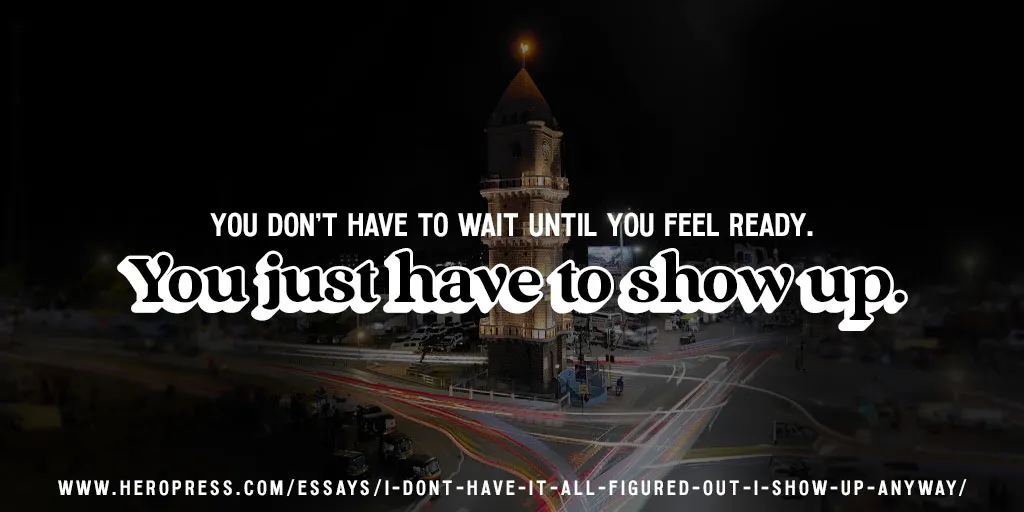
Here is Indira reading her own story aloud. My background is in Quality Assurance: testing features, observing behaviour, and making sure things work as expected. For a long time, I believed open source contribution mostly meant writing code. Since I wasn’t a developer, I saw myself more as someone learning from the community than contributing to it. Finding My Place I grew up in Akola, a small town a few hours from Nagpur. Our school computer lab had one computer for every ten or twelve students. I was shy, so I rarely got a turn at the keyboard. Most of the time I watched from a few rows back, trying to understand what the others were doing. I went on to complete a diploma and then a degree in Computer Science. Fast forward to today: I started a role at rtCamp, a company where contributing to open source is part of the culture rather than something people do in their spare time. Even then, I was too reluctant to ask whether there was a place for a QA engineer in the WordPress contributor community. Then, at a Contributor Day, I watched a few people test a feature, open tickets, report bugs, and translate strings. They weren’t writing code, but they were clearly contributing. I remember thinking: this is exactly what I do. I eventually understood that testing is an important part of building better software, and that there is space for many different kinds of contributors. While browsing WordPress Slack one day, I came across the WordPress Contributor Mentorship Program. It felt like the opportunity I had been waiting for. Without consulting anyone or giving myself time to second-guess it, I signed up. The program did what the best communities do. It didn’t focus on teaching me how to code. Instead, it showed me how to collaborate: how to work with a team, support each other, communicate clearly, and encourage one another. It helped me understand why the WordPress community feels so welcoming to so many people. One Step at a Time From there, I started contributing to the Polyglots team, then Core, Test, and Photos. Being part of these teams helped me understand open source in a new way. I started to see how many different kinds of work go into building and supporting a project. Not just writing code, but testing, translating, documenting, and helping each other. Every contribution, no matter how small, helps move things forward. I became a contributor on consecutive releases: WordPress 6.7 “Rollins,” WordPress 6.8 “Cecil,” and WordPress 6.9 “Gene.” I still feel the butterflies, and a lot of pride, every time I’m listed as a contributor in a release post. The community had quietly been helping me overcome my fears, and I no longer felt the jitters about coming forward and putting my name in for different roles. A recent example: there was an upcoming Contributor Day at WordCamp Asia, and I signed up to volunteer at a table. I didn’t apply to lead or co-lead. That felt like too much. Volunteering was enough. Then I got a call from the organisers asking if I would be open to co-leading the table. For once, I said yes. I am still a month away from WordCamp Asia 2026 as I write this. I am thrilled and nervous in roughly equal measure. The person who used to watch from the back of the school computer lab is going to stand and address a room full of people. I don’t know yet how it will go. But I said yes, and that feels like something. For Anyone Watching from the Sidelines It wasn’t always easy. I completed my primary schooling in the regional language, and things as basic as speaking and writing fluent English required a lot of effort. On many occasions, I doubted myself. I feel very fortunate to have been welcomed into this community with open arms. From the very beginning I felt at home, and I have never been made to feel like I don’t know enough. I am still learning every day, finding my path and trying to make an impact. There are many accomplished contributors and talented women in this community, juggling multiple responsibilities, quietly taking on leadership roles, contributing consistently without making a fuss about it. None of them waited to feel ready. They started anyway, and the community met them where they were. I am sure that by simply continuing to show up, I will learn a great deal from them and keep finding my voice along the way. If you’re someone who is on the fence about starting a contributor journey in the WordPress community, know this: there is no hierarchy here. Everyone is welcome and equally valued. The work you already know how to do is needed. You don’t have to learn to code, unless you want to. You don’t have to wait until you feel ready. You just have to show up. It’s okay if you’re not ready to lead yet. It’s okay if you’re still watching from the sidelines. Start where you are. Your yes will come. My name is Indira Biswas. I am a QA Engineer at rtCamp. I have contributed to WordPress Core, the Test Team, Polyglots, and Photos. I have spoken at WordCamps, and in a few weeks I will stand on the WordCamp Asia stage as emcee and co-lead the Core table at Contributor Day. I am grateful beyond what I know how to say, to the community that kept the door open, to people like Michelle Frechette, Amit Kumar, and Pavan Patil who were encouraging from the very beginning, and to the Mentorship Programme. The WordPress community gave me a place to put my work and a reason to keep doing it. I hope to keep giving that back for a long time. If you are coming to WordCamp Asia in Mumbai this year, please come say hi. I would love to meet you, hear your story, and yes,

HeroPress: I Don’t Have It All Figured Out. I Show Up Anyway. Lire la suite »

How to Find and Delete Duplicate Images in WordPress Automatically

Every time you upload a photo, WordPress creates five or ten different hidden size variations to fit your theme. These extra files consume your storage and slow your site backups. Plus, most of these extra image sizes are never used on your site. They sit on your server like digital clutter and can even increase your monthly hosting costs. I’ve found that using an automated image deletion tool is the best way to safely reclaim that space. This helps reduce your backup size significantly and keeps you within your hosting plan limits. In this article, I will show you how to automatically scan for unused image sizes and safely bulk-delete them to keep your website lean and your backups running smoothly. Quick Summary: WordPress creates multiple copies of every image you upload, which can quickly fill up your server storage and slow down backups. This guide shows you how to use the WP Media Cleanup plugin to safely scan for and delete these unused image variations without breaking your website. Here are the topics I’ll cover in this tutorial: Why Delete Unused Image Duplicates in WordPress? Step 1: Install and Scan for Unused Images Step 2: Review and Delete Unused Variations Step 3: Restoring Deleted Images (If Needed) Advanced Method: Automating Media Cleanup with WP-CLI Bonus Tip for Optimizing Your Remaining Media Files Frequently Asked Questions About Image Optimization in WordPress Additional Resources for Keeping Your Site Optimized Why Delete Unused Image Duplicates in WordPress? Every time you upload a photo, WordPress creates five or ten different variations to fit your theme. It does this to make sure your images look crisp on mobile phones and fit perfectly into blog post thumbnail grids without slowing down the page. However, this is also why your media library can quickly become cluttered and take up so much server space. For example, if you upload a 2 MB original file, WordPress creates 5 variations at 500 KB each. This means a single upload is taking up 4.5 MB of total storage. While these extra image sizes help your site look good on mobile phones, your theme might only use a few of them. The rest just sit on your server and take up valuable space. Plus, many budget hosting providers have strict limits on how many files you can store. Deleting thousands of unused image variations helps you stay under these limits and avoids extra fees. Cleaning up these unused variations is a great way to improve your website: Make your website backups much smaller and finish faster. Reduce your storage use, which can lower your hosting bill. Make it much faster to move your website to a new host or server. Keeps your site running smoothly by staying under your host’s file limits. Removes the confusion caused by multiple versions of the same file. Step 1: Install and Scan for Unused Images To follow this tutorial, you will need the WP Media Cleanup plugin. It is the best tool for safely reclaiming server space. It identifies and allows the removal of unused image variations while fully protecting your original source files. I’ve also found that some users worry about accidentally deleting their site logo. The good news is that WP Media Cleanup is smart enough to see if an image is being used in your widgets or theme customizer settings. This prevents it from deleting important images like your site logo. This means it only targets the hidden thumbnails that nobody is looking at. It protects your important files while clearing out the extra files you don’t need. Before You Begin: I highly recommend making a complete backup of your site before doing any bulk deletion. While WP Media Cleanup is a highly reliable tool, a full backup is a smart best practice. As a built-in safety net, the plugin temporarily saves your deleted variations for 30 days (which I will show you how to restore in Step 3). However, a full backup is still essential if you use a customized theme. The first thing you need to do is install and activate the WP Media Cleanup plugin. If you need help, you can see our guide on how to install a WordPress plugin. Once the plugin is active, head over to the Media Cleanup page from your WordPress admin sidebar. Here, you will need to enter your license key and then click the ‘Activate License’ button. You can find this in your account area on the WP Media Cleanup website. Before you run your first scan, it is a good idea to clear your WordPress cache. This makes sure the plugin sees the most recent version of your content and doesn’t miss any images that are live on your site. Then, start by navigating to the Media Cleanup » Cleanup page and clicking the ‘Scan for Unused Variations’ button. The plugin will look through your entire media library to find images that are not being used on your posts or pages. Wait for the progress bar to finish its work. Depending on how many photos you have uploaded over the years, this might take a few minutes to complete. Once the scan is complete, the plugin will display a list of all the images that have unused variations. For each item, you will see a small image preview, the file name, and the total number of unused variations. You will also see how much space they take up. If you want to see exactly which sizes are targeted (like ‘medium’, ‘large’, or ‘1536×1536’), you can simply click the ‘Show Details’ dropdown. Step 2: Review and Delete Unused Variations When you are ready to clean up your server, you have a few flexible options: Delete All: Click this button at the top to remove every unused variation found in the scan and get the biggest boost in server space. Delete Selected Variations: Use the checkboxes to select specific images, then click this button to only clean up those specific files. Individual

How to Find and Delete Duplicate Images in WordPress Automatically Lire la suite »

Matt: Song Creation

I’m in New Orleans for the first time in 7 years for a beautiful wedding. My Mom’s side of the family emigrated here in the 1860s, and there’s a deep comfort in the art, traditions, and weirdness of Creole culture. Good music and food are ubiquitous. I met up with WordPresser Blake Bertuccelli-Booth to catch a set by Jason Marsalis at Snug Harbor, featuring some great originals and surprising arrangements of Maroon 5’s “This Love” and the music from the Bejeweled Butterflies game. Great artists find inspiration everywhere. Afterward, we went to see my friend Troy, aka Trombone Shorty, at his studio. (Troy and I met when we both received the Heinz Award in 2016.) He was with Silkk the Shocker and Reggie Nicholas Jr., working on beats and songs. Though I was there for just a short while, it was inspiring to see the act of musical creation. A few days ago, Ed Sheeran went on the new Benny Blanco / Lil Dicky / Kristin Podcast Friends Keep Secrets. I haven’t watched the entire episode, but the twenty minutes from about 1:09 to the end where Ed and Benny come up with a new song I’ve seen 4 times now, it’s magical. Check it out, it’s one of the coolest things you’ll see this week. I’ve seen Ed Sheeran loop his songs live, but this act of creation is very special, and I love the dynamic between him and Benny. It reminds me of that magical moment in Peter Jackson’s Get Back documentary where you see Paul McCartney and the band come up with the idea for the classic song Get Back.

Matt: Song Creation Lire la suite »

Gutenberg Times: Gutenberg Changelog #128 – Gutenberg 22.7 Version and Dev Notes for 7.0

Announcing GT Changelog Podcast Episode 128: Deep Dive Into Gutenberg 22.7 & WordPress 7.0 Dev Notes! We’re back with another packed episode of the GT Changelog Podcast! In episode 128, host Birgit Pauli-Haack welcomes JavaScript developer and full-time WordPress contributor Maggie Cabrera for an insightful conversation about all things Gutenberg and WordPress. In this episode, we unpack the highlights of Gutenberg 22.7, with a special focus on the latest features coming to WordPress 7.0. From the innovative navigation overlays—earning plenty of “oohs” from the community—to the long-awaited pseudo selectors in theme.json, our speakers share behind-the-scenes perspectives on development. Birgit Pauli-Haack and Maggie Cabrera explore game-changing updates like the new breadcrumbs block, PHP-only block registration, and the emerging real-time collaboration features. They also discuss the vision for my.wordpress.net—WordPress running right in your browser for ultimate digital sovereignty. Show Notes / Transcript Editor: Sandy Reed Logo: Mark Uraine Production: Birgit Pauli-Haack Show Notes Special Guest: Maggie Cabrera GitHub MaggieCabrera WordPress profile Twitter @one_maggie My.WordPress.net Your Browser Becomes Your WordPress WordPress Everywhere WordPress 7.0 Dev Notes Breadcrumb block filters Customizable Navigation Overlays Changes to the Interactivity API DataViews, DataForm, et al. PHP-only block registration Pseudo-element support for blocks and their variations in theme.json Implement state UI for pseudo selectors on Global styles Ability to style current menu item Navigation link: add support to style current menu item via theme.json Real-Time Collaboration in the Block Editor Iframed Editor Changes in WordPress 7.0 More to come. Get the full list. What’s released? WordPress 6.9.2 Release WordPress 6.9.3 and 7.0 beta 4 WordPress 6.9.4 Release WordPress 7.0 Beta 5 What’s new in Gutenberg 22.7? (11 March) Content Guidelines as a Gutenberg experiment What’s in active development or discussed Tabs: Restructure Tabs Menu and inner blocks Stay in Touch Did you like this episode? Please write us a review Ping us on X (formerly known as Twitter) or send DMs with questions. @gutenbergtimes and @bph. If you have questions or suggestions, or news you want us to include, send them to changelog@gutenbergtimes.com. Please write us a review on iTunes! (Click here to learn how) Transcript The transcript is in the works.

Gutenberg Times: Gutenberg Changelog #128 – Gutenberg 22.7 Version and Dev Notes for 7.0 Lire la suite »

Gutenberg Times: My WordPress, WordPress 7.0, Gutenberg 22.7, and AI Experiments — Weekend Edition 361

Hi, This week, we saw many updates in WordPress Core with two Betas and three security releases. Your auto-update email folder got plenty of traffic if you are managing more than one website The next step for the security team is to backport the 6.9.4 fixes to older version for WordPress, all the way back to WordPress 4.7.. It’s a huge job and it needs to be diligently executed. Be well and hope you can enjoy Spring or Fall colors. Yours, Birgit Developing Gutenberg and WordPress WordPress 6.9.2, led by John Blackbourn, is a security-only release you’ll want to apply immediately. It patches ten vulnerabilities: a blind SSRF, a PoP-chain weakness in the HTML API and Block Registry, regex DoS in numeric character references, stored XSS in nav menus and via the data-wp-bind directive, an AJAX authorization bypass, a PclZip path traversal, and an XXE in the bundled getID3 library—now also patched upstream by James Heinrich. WordPress 7.0 Beta 5 is available for testing, packing over 101 fixes since Beta 3. The headline new feature is a Command Palette shortcut in the Omnibar — logged-in editors will spot a ⌘K / Ctrl+K symbol in the admin bar, giving you instant access to navigation and customization tools from anywhere on the site. The final release remains scheduled for April 9, 2026. Ben Dwyer recaps what’s new in Gutenberg 22.7, a feature-packed release. You’ll find a new experimental Connectors screen under Settings, letting you manage AI providers like OpenAI with extension hooks for plugins. Real-time collaboration is now enabled by default, style variation transforms show live previews, the Grid block visualizer is more responsive, and the Playlist block gains a WaveForm Player. Maggie Cabrera and I sat down to discuss the latest Gutenberg release and the Dev notes for WordPress 7.0. It’s been a while since we chatted and it was a great conversation. As always, the episode will drop into your favorite podcast app over the weekend. Stay tuned. Anne McCarthy has issued a call for volunteers to build the Twenty Twenty-Seven default theme, with Henrique Iamarino confirmed as lead designer. Targeting the WordPress 7.2 release in early December, the team is getting started early to allow room for iteration. If you want to contribute to development or testing, leave a comment on the post by Friday, March 27th — the community response has already been enthusiastic. This month’s What’s New for Developers (March 2026) is your essential pre-launch briefing as WordPress 7.0 approaches RC1 on March 19. The big headline is Real-Time Collaboration, now built on HTTP polling with Yjs and CRDT data stored in post_meta. You’ll also find AI provider packages for OpenAI, Google, and Anthropic landing in the Plugin Directory, plus visual in-editor revision tracking, a new Icon block, Content-Only pattern editing by default, and phpMyAdmin support in wp-env’s Playground runtime. Maggie Cabrera outlines what’s new with pseudo-element support for blocks and their variations in theme.json in WordPress 7.0. You can now define :hover, :focus, :focus-visible, and :active states directly on blocks and their style variations — no custom CSS needed. An “Outline” button variation, for instance, can have its own distinct hover behavior. No Global Styles UI yet; that work continues separately. Gopal Krishnan outlines what plugin and theme developers need to know about real-time collaboration in the block editor in WordPress 7.0, powered by Yjs. Collaboration is disabled when classic meta boxes are present, so you’ll want to migrate those to registered post meta with show_in_rest. The new sync.providers filter lets you swap the default HTTP polling transport for WebSockets or WebRTC. Avoid local React state for shared data — always derive values from the WordPress data store. The latest episode is Gutenberg Changelog #127 – WordPress 7.0 Beta and Gutenberg 22.6 with special guest Jessica Lyschik, senior developer at Greyd Anne McCarthy shared a candid look at three Notes features for WordPress that didn’t quite make the 7.0 cut — show/hide notes on the canvas, filter options in the Notes panel, and compact notes. All built with Claude Code as part of her “Learn AI deeply” effort. She’s openly working through open questions, including whether “Open” or “Unresolved” is the clearer label, and whether a resizable sidebar should replace the compact toggle entirely. Chime in if you are interested and have an opinion. My WordPress Brandon Payton announced my.WordPress.net, a browser-based WordPress that requires no sign-up, no hosting, and no domain — just open it and start creating. Built on WordPress Playground, your site lives privately in your browser, persists across visits, and stays entirely yours. An App Catalog offers one-click installs for a personal CRM, RSS reader via the Friends plugin, and an AI workspace that can modify plugins on your behalf. As Alex Kirk puts it, this is WordPress democratizing digital sovereignty. Where the official announcement focused on the product itself, Matt Mullenweg‘s WordPress Everywhere is the strategic vision behind it. He zooms out to explain what’s coming next — peer-to-peer sync, version control integration, and cloud publishing — and frames Playground containers as composable, atomic units you can roll back entirely. Mullenweg believes this shifts WordPress from millions of installs to billions, with AI making open source more powerful, not less relevant. Sarah Perez covers WordPress’s new browser-based workspace, my.WordPress.net, for TechCrunch. Emma Roth reported about it for The Verge: WordPress launches an in-browser website creator. Ben Werdmuller marvels at your browser becoming your WordPress — a genuine innovation announced by Brandon Payton. Built on WordPress Playground and powered by WASM, my.WordPress.net installs a full WordPress instance directly in your browser: no sign-up, no hosting, nothing between you and a running site. Werdmuller wonders about cross-device syncing and sees broader implications — to-do lists, CRMs, source management — as a glimpse of what private, browser-based personal apps could become. If you get a chance to try my.WordPress.net in its current early state, go in with the right expectations: this is a proof of concept, a rough but genuinely exciting experiment. The

Gutenberg Times: My WordPress, WordPress 7.0, Gutenberg 22.7, and AI Experiments — Weekend Edition 361 Lire la suite »

How I Display WooCommerce Reviews Anywhere in WordPress (& Boost Sales)

Hiding your best WooCommerce reviews on product pages is like keeping your top salespeople in the back room. When reviews are scattered or hidden, most visitors never see them. And that means missed chances to earn trust and make sales. By showing your reviews on your homepage and other key pages, visitors can see real customer experiences right away. This helps them feel confident about buying and gives your store a real boost in credibility and conversions. After testing several plugins, I found that Smash Balloon’s Reviews Feed Pro makes it easy to display WooCommerce reviews anywhere on your WordPress site. In this guide, I’ll walk you step by step through the process so you can turn your customer reviews into a powerful sales tool. 📚 TL;DR: The easiest way to display WooCommerce reviews anywhere on your site is with Smash Balloon’s Reviews Feed Pro. It detects your products automatically and lets you add review feeds to your homepage or sidebars – no coding needed. Why Show WooCommerce Reviews on Your WordPress Website? Showing WooCommerce reviews outside of your product pages is a simple way to build trust and boost sales across your entire site. Most shoppers look for social proof before they buy. In fact, over 90% of consumers read reviews before making a purchase. However, when reviews only appear on product pages, many visitors never see them. This is especially true if they land on your homepage or a landing page first. I’ve seen this with a lot of WooCommerce stores. The reviews are there, but they’re not doing much because they’re hidden where casual visitors don’t usually look. Here’s why showing your reviews in more places can make a real difference: 🤝 Build trust right away — when visitors see real feedback as soon as they arrive, they feel more confident browsing and buying. 📈 Increase conversions with social proof — reviews work like recommendations from other customers, which is often more convincing than sales copy. 🧩 Stop letting great reviews go unnoticed — if shoppers never reach your product pages, they miss your best testimonials. 🧑‍💻 Reach visitors no matter where they are — adding reviews to your homepage, landing pages, or sidebar helps more people see them. 💰 Use reviews as a flexible sales booster — you can highlight feedback by product, category, or tag to match what different visitors care about. The best part is that setting this up doesn’t require any coding or technical skills. In the steps below, I’ll show you exactly how to display WooCommerce reviews anywhere on your site: Step 1: Install and Activate Reviews Feed Pro Step 2: Create Your First WooCommerce Review Feed Step 3: Customize Your Review Feed Design Adjusting the Layout Customizing the Header Customizing the Reviews Section Step 4: Add Multiple Sources to One Feed (Optional) Step 5: Display Your Review Feed on Your Site Add Feeds to Your Homepage Using a Block Add Reviews in Sidebars and Widget Areas With a Shortcode Add Feeds Sitewide Using Full Site Editing (FSE) Bonus Tip: Show Google, Facebook, and Yelp Reviews in WordPress FAQs About Displaying WooCommerce Reviews in WordPress Next Steps to Grow Your WooCommerce Store Step 1: Install and Activate Reviews Feed Pro Smash Balloon’s Reviews Feed Pro is the best customer review plugin for WordPress. It lets you display reviews from WooCommerce and other platforms anywhere on your WordPress website. This powerful plugin comes with a visual customizer, flexible layout options, and automatic review syncing. So, your feed always stays up to date without any manual work on your end. One of the things I appreciate most about it is that the plugin automatically detects your WooCommerce store. This means there’s no coding and no API keys to deal with. It connects to your products automatically. You can learn more about it in our detailed Smash Balloon review. ⚠️ Before You Begin: You’ll need an active WooCommerce store set up on your WordPress website. Also, make sure that reviews are enabled in your store by checking WooCommerce » Settings » Products and checking the ‘Enable reviews’ checkbox. If you haven’t started yet, check out our guide on how to set up a WooCommerce store. The Reviews Feed free version is a good starting point, but it’s limited to Google and Yelp reviews. To display WooCommerce reviews and access more powerful options, you’ll need Reviews Feed Pro. To get started, head over to the Smash Balloon Reviews Feed Pro website and sign up for an account. From there, you’ll need to pick a plan and complete the checkout process. Once your purchase is confirmed, you’ll be able to download the plugin zip file from your account dashboard. Make sure to also copy your license key because you’ll need it in just a moment. From here, you can install and activate the plugin. In your WordPress admin area, let’s navigate to Plugins » Add Plugin. Next, click ‘Upload Plugin.’ In the file uploader, simply click ‘Choose File’ and upload the zip file you downloaded. Once uploaded, click ‘Install Now’ followed by ‘Activate.’ See our guide on how to install a WordPress plugin if you need help with this step. After activation, the plugin will prompt you to enter your license key. Simply paste the key you copied earlier into the field provided and click ‘Activate’ to activate it. Once your license is verified, don’t forget to click the ‘Save Changes’ button. With that done, you’re all set and ready to create your first WooCommerce review feed. Step 2: Create Your First WooCommerce Review Feed Now, it’s time to create your first feed. From your WordPress dashboard, navigate to Reviews Feed » All Feeds. This is where you can manage all your review feeds once you start creating them. To get started, click the ‘Add New’ button at the top of the page. The plugin will prompt you to add a source for your feed. A source is simply where your reviews come from — in this case, your online store. Click ‘Add Source’ to begin

How I Display WooCommerce Reviews Anywhere in WordPress (& Boost Sales) Lire la suite »

Matt: Selling Your Company

I would like to offer some free business advice to people who are considering selling something they’ve created. First, if the buyer insists you don’t talk to any other bidders, you are being screwed. They only do this because they don’t want you to find the market-clearing price. Do you think when Microsoft called LinkedIn and said, “We want to buy you for $26B,” and they replied, “Sure! That sounds good.” If you’re very lucky, you get to work with a bank like Qatalyst, which says, “That’s a lovely offer, let’s see who else would be interested.” Ask yourself why someone wants to buy you? Who else might have the same motivations? That begins a process in which a wide array of parties review the deal. If you don’t have the connections or a bank to help you, just email the CEOs of other companies that might be interested. Say: “XYZ wants to buy me for $Y dollars. Is that something you’d also be interested in?” Now you’re creating a market. Remember that you’re doing this for the first time, and on the other side of the table, they’ve done dozens of deals. It really pains me to see WordPress-adjacent companies get taken advantage of by sophisticated financial and corpdev players who strong-arm them into not shopping their deal. A confident buyer doesn’t care if you talk to others because they know they can offer you the best deal, which usually combines money with what happens to the business after it’s sold. This is the magic of Berkshire Hathaway. Warren Buffett doesn’t care if you talk to other bidders; in fact, he wants you to, so you see why he’s the better outcome for your business if you want to sell it. It’s tempting to want to celebrate every time a creator sells something. Say it’s good for the community. But if they didn’t sell it through a fair process, it’s more likely they were taken advantage of, and that saddens me. For public companies, failing to follow the process I describe above can constitute a breach of your fiduciary duty to shareholders and expose you to legal action. But there aren’t any such rules for private entities, which is why they get rolled over so often.

Matt: Selling Your Company Lire la suite »