Non classé

Matt: EmDash Feedback

So, two other Matts at Cloudflare announced EmDash — the spiritual successor to WordPress that solves plugin security. (Is it nominative determinism or a simulation glitch that everyone trying to terraform the web has some variation of “Matthew” in their name? I was in a call set up by Matthew Prince, talking to Matt Taylor and Matt Kane, with my right hand there, Matías.) First, I’m going to tell you why this isn’t spiritually tied to WordPress at all, then why they haven’t solved plugin security, and finally offer some suggestions. The Spirit of WordPress WordPress exists to democratize publishing. That means we put it everywhere. You can run WordPress on a Raspberry Pi, on your phone, on your desktop, on a random web host in Indonesia charging 99 cents a month, and you can run it scaled up on AWS or across multiple datacenters. The same code. When you download WordPress Playground you’re running the same code that’s being attacked a thousand times a second at WhiteHouse.gov. That’s what we mean when we say democratization. It’s all built on open source and web standards. You can run it anywhere; there’s no lock-in. That’s why we do what we do. It’s really hard. You can come after our users, but please don’t claim to be our spiritual successor without understanding our spirit. The Spirit of EmDash I think EmDash was created to sell more Cloudflare services. And that’s okay! It can kinda run on Netlify or Vercel, but good stuff works best on Cloudflare. This is where I’m going to stop and say, I really like Cloudflare! I think they’re one of the top engineering organizations on the planet; they run incredible infrastructure, and their public stock is one of the few I own. And I love that this is open source! That’s more important than anything. I will never belittle a fellow open source CMS; I only hate the proprietary ones. If you want to adopt a CMS that will work seamlessly with Cloudflare and make it hard for you to ever switch vendors, EmDash is an incredible choice. Claimed Plugin Security In another example of them not understanding the spirit of WordPress, the fact that plugins can change every aspect of your WordPress experience is a feature, not a bug! And their sandboxing breaks down as soon as you look at what most WordPress plugins do. I know we get a bad rep because there are 62k plugins with wildly variable engineering quality, and more every day, and when one installed on 0.01% of our user base has a vulnerability, a bunch of websites write breathless articles that get clicks saying “122,000 WordPress Sites Vulnerable!” That, by the way, I think we’ll be able to fix in the next 18 months with AI. The plugin security only works on Cloudflare. Critical Feedback As I said, we had a call with Cloudflare on March 23rd, where they asked for feedback on this thing they built but didn’t tell us the name, said it would probably launch in their developer week towards the end of April, and some top colleagues and I offered to help. I wish I could say the things I’m saying in this blog post on that call, and if they had just shared the announcement post I could have, but in the spirit of open source here’s what I would have said: If they had said the name I would have asked if they had any other options because I have an amazing colleague named Emdash who is doing some of the most exciting stuff with WordPress and AI. (BTW I think our Em will have more impact on the web than this in five years.) I actually think the product is very solid, there’s some excellent engineering, migration tools, it’s very fast, and the Astro integration is nice. I’d be surprised if this doesn’t get tens of thousands of sites on it. The UI is in the uncanny valley of being sorta-WordPress sorta-not. I know it wasn’t a weekend vibecode project, but it has some of that smell. Stuff breaks at the edges. I think using TinyMCE is a regression, and they should adopt Gutenberg, which we licensed and created to be used by other CMSes. The Skills are amazing, a brilliant strategy, and we need to do the same as soon as possible. I’ve been working on something similar and got some good ideas from their implementation. I’m not going to say which parts, but they copied a lot of things we’re planning to kill. Build from first principles. Make it better. Skate to where the puck is going. There’s a new CMS every other day. And that’s great! I love building CMSes and I totally get why other people do, too. In Conclusion Some day, there may be a spiritual successor to WordPress that is even more open. When that happens, I hope we learn from it and grow together. Until then, please keep the WordPress name out of your mouth.

Matt: EmDash Feedback Lire la suite »
WordPress.org blog: From AI to Open Source at WordCamp Asia 2026

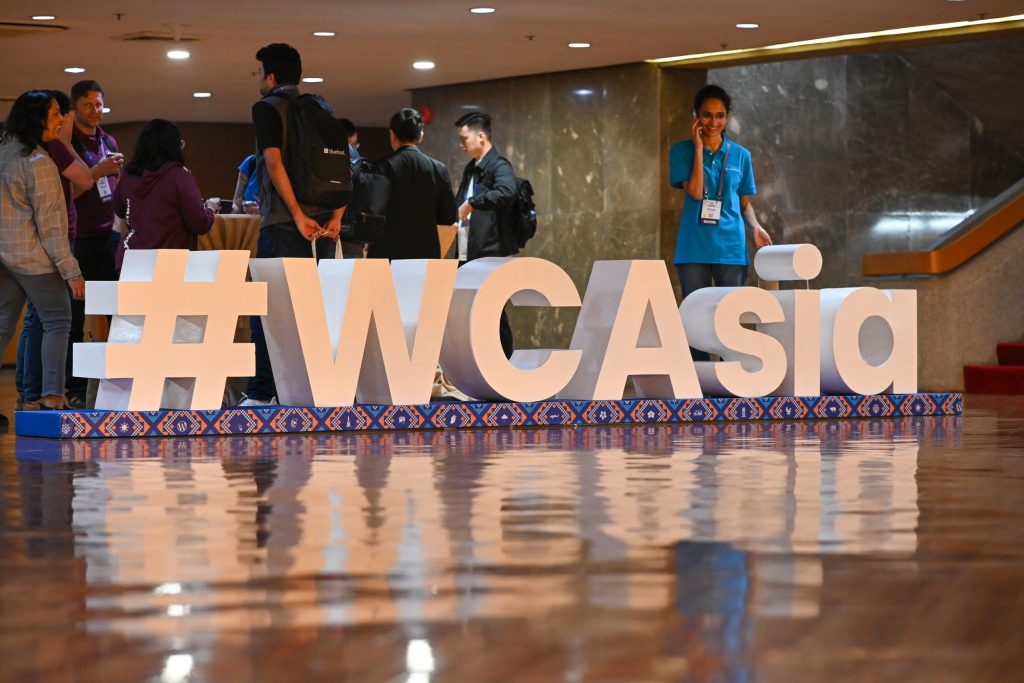
April 9-11, 2026 | Jio World Convention Centre, Mumbai, India WordCamp Asia 2026 brings the WordPress community to Mumbai, India, from April 9 to 11, with a schedule shaped around artificial intelligence, enterprise WordPress, developer workflows, product strategy, and open source collaboration. For attendees planning their time, the program offers a useful view of the ideas, tools, and practical challenges shaping WordPress today. Get Your Event Pass WC Asia Schedule About WordCamp Asia Keynotes to Set the Stage The keynote sessions at WordCamp Asia 2026 help frame some of the biggest conversations at this year’s event. Ma.tt Mullenweg, co-founder of WordPress and CEO of Automattic, is expected to speak about the future of the open web and the ever-evolving role that WordPress plays. Mary Hubbard, Executive Director of WordPress, will also join a fireside chat moderated by Shilpa Shah, focusing on leadership, education initiatives, artificial intelligence, and community growth. Together, they offer an early view of the themes and discussions unfolding across WordPress in 2026. AI, Automation, and the Future of WordPress Artificial intelligence is one of the clearest threads running through the program. Sessions from Fellyph Cintra, Fumiki Takahashi, and Nirav Mehta examine how AI is already influencing WordPress through Core discussions, testing workflows, plugin development, and day-to-day implementation. That same theme continues in sessions on marketing and content strategy, including Adeline Dahal’s work on structuring WordPress content to make it more machine-readable.  This cross-section of presentations shows how automation is moving from concept to practice. From autonomous testing with WordPress Playground to AI-supported development workflows, these sessions highlight applicable tools and skills that teams can start using right away, not just concepts. For attendees interested in where WordPress is heading, this is one of the strongest themes across the event. Enterprise WordPress and Scalability Enterprise sessions take that discussion further by focusing on scale, architecture, and operational complexity. Rahul Bansal, James Giroux, Anirban Mukherji, and Abid Murshed are among the speakers exploring how WordPress supports larger organizations, more complex commerce systems, and demanding digital environments. Their sessions look at growth, implementation, and the kinds of decisions that matter when WordPress is supporting business-critical work. Other talks in this track focus on the realities of enterprise operations, including migration risk, observability, and long-term performance. Together, they show how WordPress continues to adapt to larger systems and more complex digital ecosystems without losing the flexibility that makes it widely used in the first place. Developer Experience and Modern Practices The developer track stays grounded in both Core tools and everyday engineering practice. Ryan Welcher will cover the Interactivity API, Jonathan Desrosiers will look at automation in open source, and Takayuki Miyoshi will introduce a schema-sharing approach to form management. These sessions point to a broader shift toward building WordPress systems that are more dynamic, maintainable, and easier to scale over time. These more technical presentations also include sessions on the WordPress HTML API, Content Security Policy, open source data pipelines, and evolving plugin standards. Rather than focusing on a single type of builder, this part of the schedule addresses developers working across infrastructure, security, front-end experiences, and long-term platform health. Community, Education, and Open Source The schedule also makes space for the people and ideas that support WordPress beyond engineering alone. A panel featuring Anand Upadhyay and Maciej Pilarski, moderated by Destiny Kanno, looks at education initiatives and student pathways into open source. Kazuko Kaneuchi will reflect on the story of Wapuu and the culture of contribution around WordPress. At the same time, Kotaro Kitamura and Chiharu Nagatomi will share how WordPress and its community shaped their professional journeys. That wider perspective continues in sessions on product thinking, marketing, career growth, and business strategy. Speakers, including Nabin Jaiswal, Himani Kankaria, Julian Song, Karishma Sundaram, Sandeep Kelvadi, Aviral Mittal, Anh Tran, and Anna Hurko, explore how WordPress works and connects with decision-making, discoverability, professional development, and organizational growth. Taken together, these sessions reflect one of WordPress’s long-standing strengths: its ability to connect software, learning, and community in the same space. Hands-on Workshops Hands-on workshops round out the schedule, offering practical sessions for attendees who want to move from ideas to implementation. They include: From On-Demand to Cloud: Automate WordPress Installations Like a Pro AI + MCP to build, manage, and automate WordPress end-to-end Building AI Agents with self-editing memory Building Better WordPress Experiences with AI-Driven Development Workflows Explore the full schedule to plan your sessions, and get your event pass to join WordCamp Asia 2026 in Mumbai. Mumbai is calling. See you at WordCamp Asia 2026! Note: Much of the credit belongs to @webtechpooja (Pooja Derashri) for help in writing this piece.

WordPress.org blog: From AI to Open Source at WordCamp Asia 2026 Lire la suite »

Matt: Taxonomist

I’m really excited to introduce a project I worked on with various AI agents the other night, which I think represents a new way we might build things in the future. First, the problem: My WordPress site has 5,600+ posts going back decades, and I had some categories that were old and I didn’t really use anymore, and I wasn’t happy with the structure. Every time I made a new post, it irked me a little, and I had this long-standing itch to go back and clean up all my categories, but I knew it was going to be a slog. Let me present Taxonomist, a new open-source tool you can run with one copy-and-paste command line that solves this problem. Here’s the idea: You run this code in your terminal, and it spins up a Claude Code instance that asks you for your URL. Then it takes that and figures out what type of site you have, which APIs are available, and starts downloading all your posts locally for analysis. Sub-agents analyze every post against your current categories and thinks about suggesting new ones. It previews all the changes. Tries a variety of ways to authenticate against your site and make all the changes. Logs everything locally, so anything is reversible later. THIS IS VERY ALPHA. PROBABLY BUGGY. BE CAREFUL WITH IT. PATCHES WELCOME. MAYBE MAKE A BACKUP OF YOUR SITE BEFORE YOU CHANGE IT. It kind of just worked. I ran it live against ma.tt and it cleaned up a ton of stuff pretty much exactly how I wanted. But there’s a lot of weird stuff happening here, so I don’t know quite what this is yet. It’s very non-deterministic! There is some pre-written code, and probably could be more, but a lot of the code is generated on the fly by your agent. This creates interesting bugs where people testing with less powerful models had some odd behavior. I kind of want a directory of these useful AI agents on WordPress.org, but also, there’s something a little strange about trusting a remote shell script to run on your machine. I tested this with Claude, but there’s no reason Codex couldn’t use the repo in the exact same way, and I’d love to improve the quick start script to start by detecting all the agents you have, asking which you’d like to use, and also which directory you’d like to work in. I think we could kill the cd taxonomist-main && claude « start » part of it. Because much of the code and commands are generated on the fly from prompts, it’s very resilient! I’ve seen people try it, and it ran into errors with libraries or whatever, but it just figured out how to work around them. I’d love it if, at the end of every session, there was a moment for self-reflection where the agent would take the repository and suggest upstream issues and PRs based on anything that went wrong. Then this could recursively self-improve very quickly. There are some obvious improvements to this, for example, doing this for tags. Sometimes it creates too many categories when you might only want 3-5 for your theme. One fun thing is a bunch of the work of this just uses public WordPress APIs, so you can run it against any site! I like using distributed.blog as a demo. It’ll still do all the fun downloading and analysis and everything, you just won’t be able to make changes. I now have a local cache of all my WordPress posts I can do other interesting things with, and that’s cool. The logging and reverting probably still has some bugs in it. You can riff with it along the way, so for example, it suggested I get rid of my Audrey category because it didn’t have enough posts, and I asked it to look at all the companies on Audrey.co website and categorize any posts that talk about them as Audrey, which created like 50 more. I want to check the GitHub repo for any updates before it starts, and maybe periodically, because it’s iterating and improving really fast. It’s not the default but the entire thing is way more pleasant if you run it with skip-permissions. So testing I usually run the one-liner, exit, resume with skip. You can see some of my prompt history in the Github but I apologize it’s not comprehensive, I also used Gemini and Codex with this and got lots of value from them. So, not sure what this is, but please check it out, play with it, submit improvements or ideas, and think about what’s next. Might host a Zoom or something to brainstorm. The final thing I say is that this was a very different process of writing software for me. Instead of staying at the computer the entire time, I found myself going away for a bit, napping and dreaming about the code, coming back with new ideas and riffing on them. Maybe I’ll return to my Uberman polyphasic sleep days? Nap-driven development? BTW I have lots of thoughts and feedback for Emdash but I thought this was more interesting, will try to get that out later tonight. One preview: TinyMCE is a regression; they should use Gutenberg! We designed it for other CMSes and would be fun to have some common ground to jam on.

Matt: Taxonomist Lire la suite »

#211 – Elliott Richmond on WordPress Content Creation, Education, and Pizza Plugins

Transcript [00:00:19] Nathan Wrigley: Welcome to the Jukebox Podcast from WP Tavern. My name is Nathan Wrigley. Jukebox is a podcast which is dedicated to all things WordPress, the people, the events, the plugins, the blocks, the themes, and in this case, WordPress content creation, education, and the unexpected diversion into a pizza plugin. If you’d like to subscribe to the podcast, you can do that by searching for WP Tavern in your podcast player of choice, or by going to wptavern.com/feed/podcast, and you can copy that URL into most podcast players. If you have a topic that you’d like us to feature on the podcast, I’m keen to hear from you and hopefully get you, or your idea, featured on the show. Head to wptavern.com/contact/jukebox, and use the form there. So on the podcast today we have Elliott Richmond. Elliott’s been deep in the WordPress community for over 20 years, developing since the early days, back when WordPress was yet to be forked from b2. He’s freelanced, built with multiple CMS systems, and has contributed creatively to the community, including releasing a WordPress advent calendar way back in 2013. He is an active WordPress developer, content creator on YouTube, and unexpectedly a part-time pizza vendor running a thriving pizza business powered entirely by WordPress tools. Many listeners will know Elliott for his technical videos, but today we discuss how WordPress has served as the glue for unexpected ventures, like scaling a local pizza business during lockdown, using WooCommerce, Jetpack, and custom plugins. Elliott’s experience showcases just how flexible WordPress can be, whether for websites, unique ordering systems, or even streamlining business processes for other niches. Recently, Elliott has been asked by Automattic to create content around wordpress.com, giving him early access to features, and allowing him to share his workflow and insights with a broader audience. He talks about his approach to content creation, balancing scripting versus improvisation, and details his low tech kit from iPhone cameras to DIY lighting. Throughout the episode, Elliott shares how community connections and feedback loops, especially via YouTube comments, shape his work, and he discusses the new opportunities for content creators within the WordPress ecosystem. If you’re interested in WordPress beyond websites, curious about how to turn technical, know-how into educational video content, or just want to hear about WordPress powered pizza, and who doesn’t, this episode is for you. If you’d like to find out more, you can find all of the links in the show notes by heading to wptavern.com/podcast, where you’ll find all the other episodes as well. And so without further delay, I bring you Elliott Richmond. I am joined on the podcast by Elliott Richmond. Hello Elliott. [00:03:35] Elliott Richmond: Hello. How you doing? Thanks for having me. [00:03:37] Nathan Wrigley: You’re so welcome. Elliott and I have had a little bit of a chat prior to hitting the record button. Elliott’s one of those people who has been in my world for many years, because I’ve been vicariously watching what, this is going to sound a rather sinister. I’ve been watching what Elliott’s been doing for several years. And we’ll get into some of that in a moment. It’s a pleasure to have you on the podcast anyway. I feel like I know more about you than you will do about me, that’s for sure anyway. But welcome to the podcast. [00:04:08] Elliott Richmond: Thank you. Yeah, thank you for having me. I think if you put yourself out there, you are bound to attract stalking of some form. [00:04:14] Nathan Wrigley: That’s right. Okay. I hope it doesn’t come across as that. [00:04:18] Elliott Richmond: No, not at all. Not at all. [00:04:19] Nathan Wrigley: But will you just give us a little bit of your background? Obviously this is a WordPress specific podcast, so you can dip into your early childhood if you like, but maybe if we constrain it to WordPressy things. How long have you been using WordPress? What do you do at the moment? And then we can get into some of the fun things you’re going to be doing. [00:04:36] Elliott Richmond: Yeah, sure. So I’ve been using, or developing with, wordPress for over 20 years. So pretty much as old as WordPress is, but I was developing before that, building stuff. I’m self-taught developer, but I was building stuff in the early nineties for bands and stuff that I was in, creating music and just putting stuff out on the web. But then I realised, when I was working at an agency, it was a design agency, that there was definitely a market for the web effectively, but the company I was working for didn’t really want to get into it. So eventually when I went freelance, I was able to sort of self-teach myself all of the things I was interested in, which was web development. So I used all of the kind of CMSs like Joomla, Drupal, and eventually found b2 which was forked, ended up being WordPress. So, yeah, started seeing lots of communities popping up, meetups and I just reached out to people. And I’ve actually featured on WP Tavern before because of releasing an advent calendar I think it was, back in 2013, I think it was Christmas time. And it was basically just reaching out to other developers and asking them for code snippets. It was back in the day when WordPress was kind of, it was a blog but developers were using it in really creative ways like portfolios, and product databases where you had to use the category and tagging system to actually make things work, and then manipulate the templates. So there was lots of code snippets sort of flying about. So yeah, I just reached out to community and got about 30 developers submitting code, and then just released them as advent calendars. So, today I am still a developer and develop for WordPress, very passionate about WordPress. I’m

#211 – Elliott Richmond on WordPress Content Creation, Education, and Pizza Plugins Lire la suite »

WPBeginner Spotlight 22: Big Milestones, Better Backups, and WordPress Community Tools

Welcome to Issue 22 of WPBeginner Spotlight! March was full of exciting developments in the WordPress industry. In this issue, we are celebrating a massive decade-long milestone for one of our favorite WordPress form builders and exploring exciting new AI tools designed to put your WooCommerce promotions and course creation on autopilot. We’re also looking at major updates to how you can manage site staging and security. Let’s dive into all the latest WordPress news, plugin updates, and ecosystem developments you need to know about. WPBeginner Spotlight brings you a monthly roundup of the most important WordPress news, updates, and community happenings. 📅✨ Got something to share? Whether it’s a new product launch, a significant update, or an exciting event, reach out to us through our contact form, and your news could be featured in the next edition! WPForms Celebrates 10 Year Anniversary and Releases a Universal PayPal Integration WPForms is officially celebrating their 10th anniversary! This is a monumental milestone for the most popular WordPress form builder, which is trusted by over 6 million websites. WPForms was launched in 2016 to make it easier for users to add a contact form to their WordPress website. What started as a contact form plugin has now become an AI-powered solution that works with all the popular tools a website owner may need. Over the last decade, WPForms has consistently led the way in making form creation easy, accessible, and powerful for non-techy users and professionals alike. Last year alone, they released major new features each month including addons for Quizzes, PDFs, Camera and Map fields, and integrations for Google Drive, Google Calendar, Airtable, Make.com, n8n, and more. To celebrate this occasion, WPForms is offering 60% discount (for a limited time). Save 60% off WPForms (10th Anniversary Limited Deal) PayPal Integration for All WPForms Users To make this occasion even more special, the WPForms team has also released a highly requested feature: a Universal PayPal integration available to all users. Whether you are using the premium version or the free WPForms Lite, you can now seamlessly connect your forms to PayPal to accept payments, donations, and online orders. This update completely democratizes online payments for the WordPress community. It means anyone can start monetizing their website without any complicated eCommerce addon. Monitor Your WordPress Site with New Activity Log Plugin by Duplicator The Duplicator team has officially launched Activity Log, a brand-new plugin designed to give site owners a complete audit trail of every action taken on their WordPress website. This tool addresses a significant gap in default WordPress functionality by tracking who logged in, who changed settings, and exactly when specific content was modified. Activity Log tracks over 60 different types of events across categories such as user sessions, content edits, plugin updates, and theme changes. Each event is tagged with one of four severity levels—Critical, High, Medium, or Low—allowing administrators to instantly distinguish routine tasks from potential security threats like failed login attempts. The plugin also provides a searchable timeline that can be filtered by date, user, event type, or IP address. Beyond standard WordPress logging, Activity Log monitors specific actions that other plugins often miss, such as featured image changes and custom field updates. It also tracks critical background adjustments, including permalink structure shifts or admin email changes. This makes sure that significant configuration shifts never go unnoticed. Users can also set up a flexible email notification system to receive real-time alerts for high-severity events. That way, they can respond to critical issues immediately without manually checking the dashboard. For advanced users and developers, Activity Log includes full WP-CLI support for managing logs via the command line. This allows for exporting data in CSV or JSON formats, as well as automating log management across a large portfolio of websites. You can find out more about Activity Log here. WP Packages Launches as an Independent, Community-Funded Alternative for Developers The WordPress developer community has officially seen the launch of WP Packages, which is a fully independent and open-source Composer repository. 💡What is Composer? When developers build a WordPress site, they often use many different “parts” like plugins, themes, or specific sets of code (called libraries). Instead of the developer manually downloading each part, checking if it’s the right version, and making sure all those parts work together, Composer does it automatically Developed by Ben Word and the Roots team (the group behind Bedrock and Sage) this project provides a modern way for professional developers to manage WordPress plugins and themes as PHP dependencies. WP Packages serves as an open-source replacement for WPackagist by offering every free plugin and theme from the WordPress.org directory through a transparent build process. By being community-funded via GitHub Sponsors, the project remains community driven and focuses entirely on serving the technical needs of the developer ecosystem. Plus, transitioning to the new system is designed to be straightforward, with a dedicated migration script available for developers to update their existing projects. [New] WPVibe by SeedProd – Manage Your WordPress Site Directly from Claude Code, ChatGPT, or Cursor WPVibe by SeedProd has launched a new way to control your website using conversational AI. It lets you connect your self-hosted WordPress site to tools like Claude, ChatGPT, or Cursor. Instead of digging through complicated WordPress menus and settings, you can now perform complex admin tasks just by typing out what you want to do. While other similar tools focus on local developer environments, WPVibe provides remote access. This enables you to manage your site from any AI web interface while keeping your data on your own hosting. This ultimate “AI Site Assistant” simplifies management with several key features: Instant Content Control: Create posts, update pages, and manage comments or categories using natural language. Site Intelligence: Ask your AI to check active themes, installed plugins, and overall site health in seconds. Plugin Integration: Run specific tasks within tools like WPForms and AIOSEO via the new “Abilities API.” Multi-Step Automation: Use “Code Mode” to chain operations together, such as auditing a

WPBeginner Spotlight 22: Big Milestones, Better Backups, and WordPress Community Tools Lire la suite »